Saltar al contenido
Venta en línea · Entrega en Santa Cruz y envíos a todo el país
Carrito0
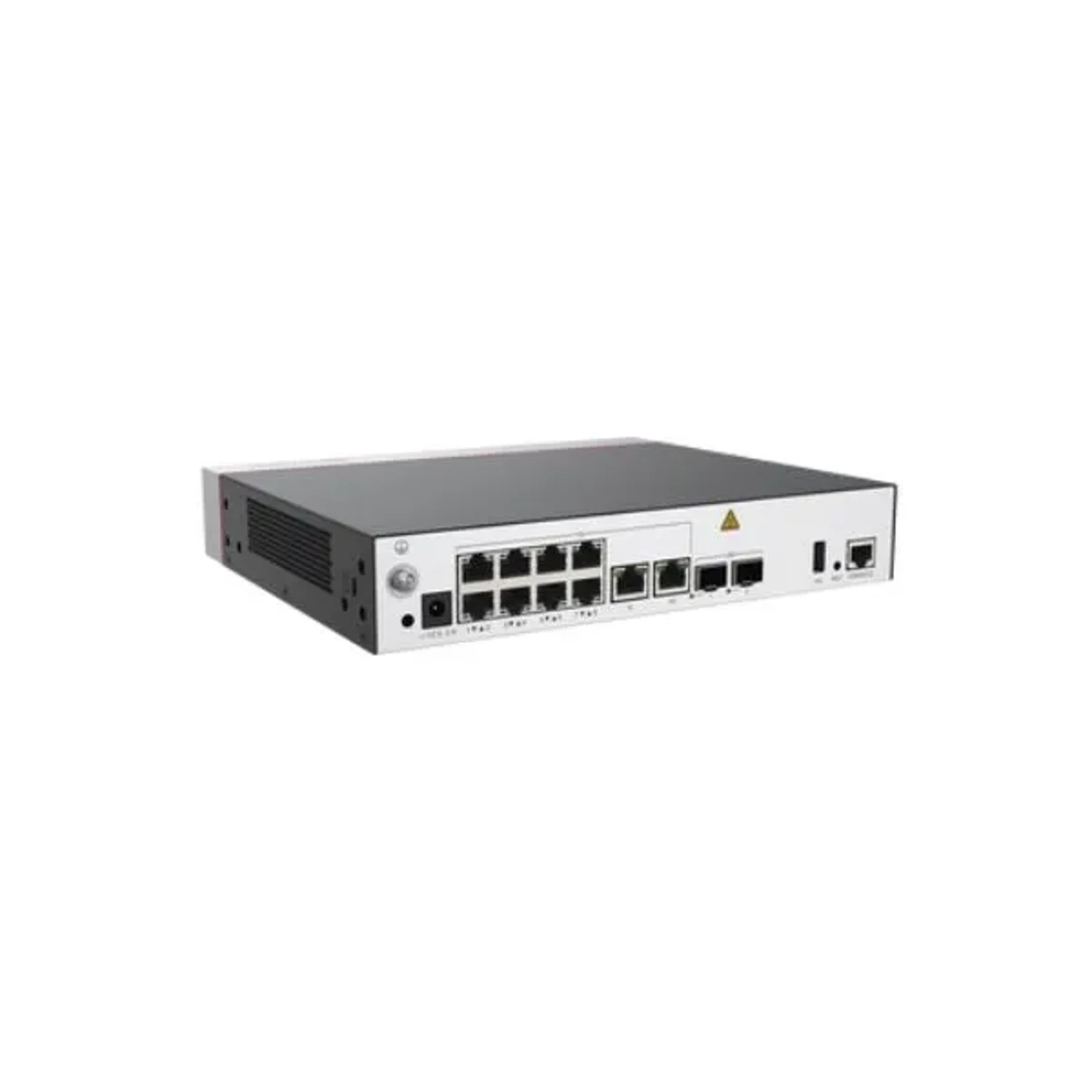
CONTROLADORA DE AP
HUAWEI/EKIT

CONTROLADORA DE AP

Código: AC650-256AP

Bs 7.882

Precio en bolivianos, impuestos incluidos.

Últimas 3 unidades

Entrega en 1 a 2 días hábiles en Santa Cruz

Estimado; si su pedido necesita más tiempo, se lo avisamos.

Consultar por WhatsApp

Instalación (servicio aparte)

No está incluida en el precio del producto ni siempre disponible. Se cotiza según la complejidad. Por ahora solo en Santa Cruz.

Cotizar instalación

Características

  • 10 PUERTOS GIGAS
  • 2 PUERTOS SFP+
  • HOTPOT
  • ROAMING
  • CAPA 2/3
  • SOPORTA 256 APS
  • SOPORTA 2048 CLIENTES

Descripción

AC650-256AP

Overview

Table 1-81 Basic information about the AC650-256AP
ItemDetails
DescriptionAC650-256AP mainframe (10*GE ports, 2*10GE SFP+ ports, with the AC/DC adapter)
Part Number02355NCH
ModelAC650-256AP
First supported versionV200R022C10

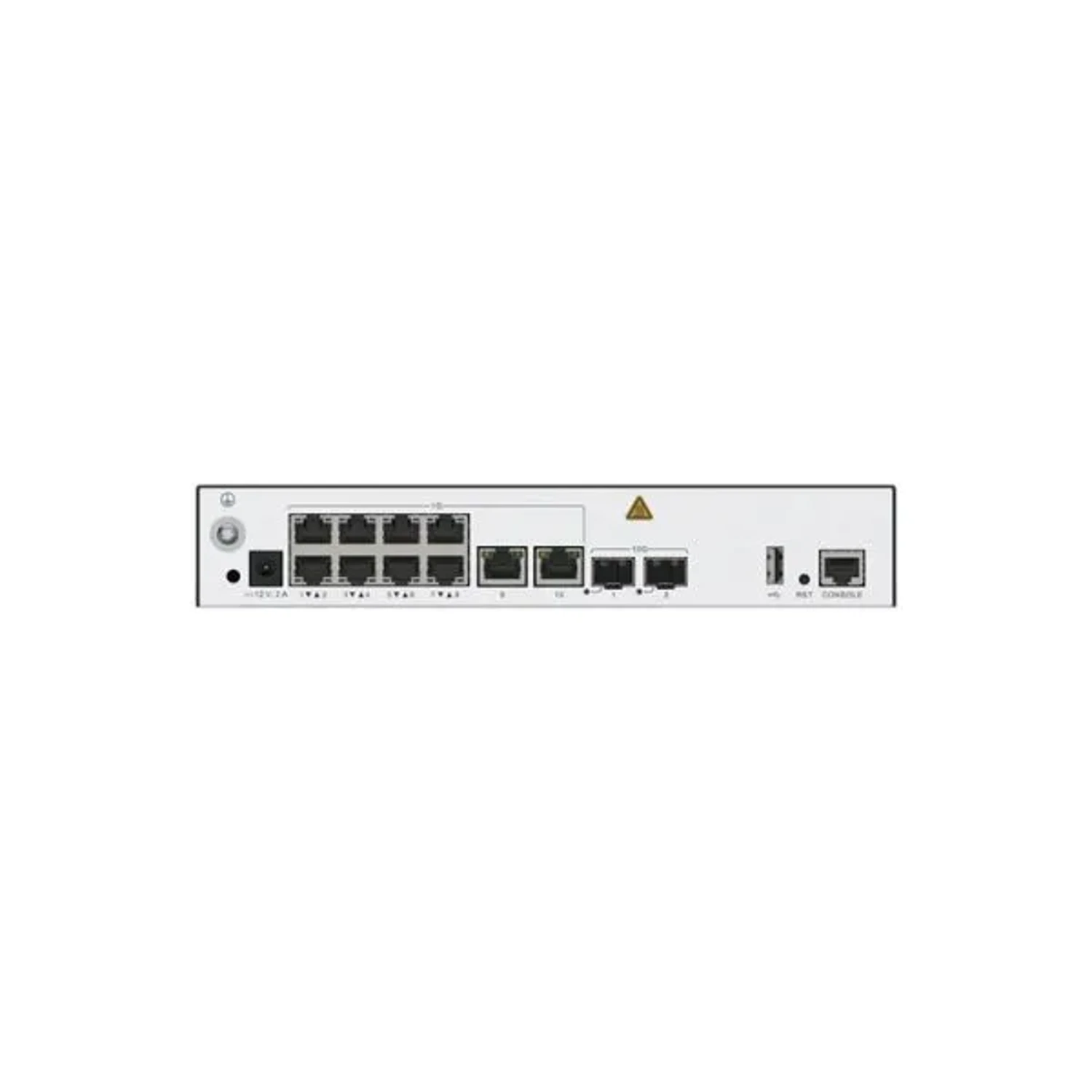
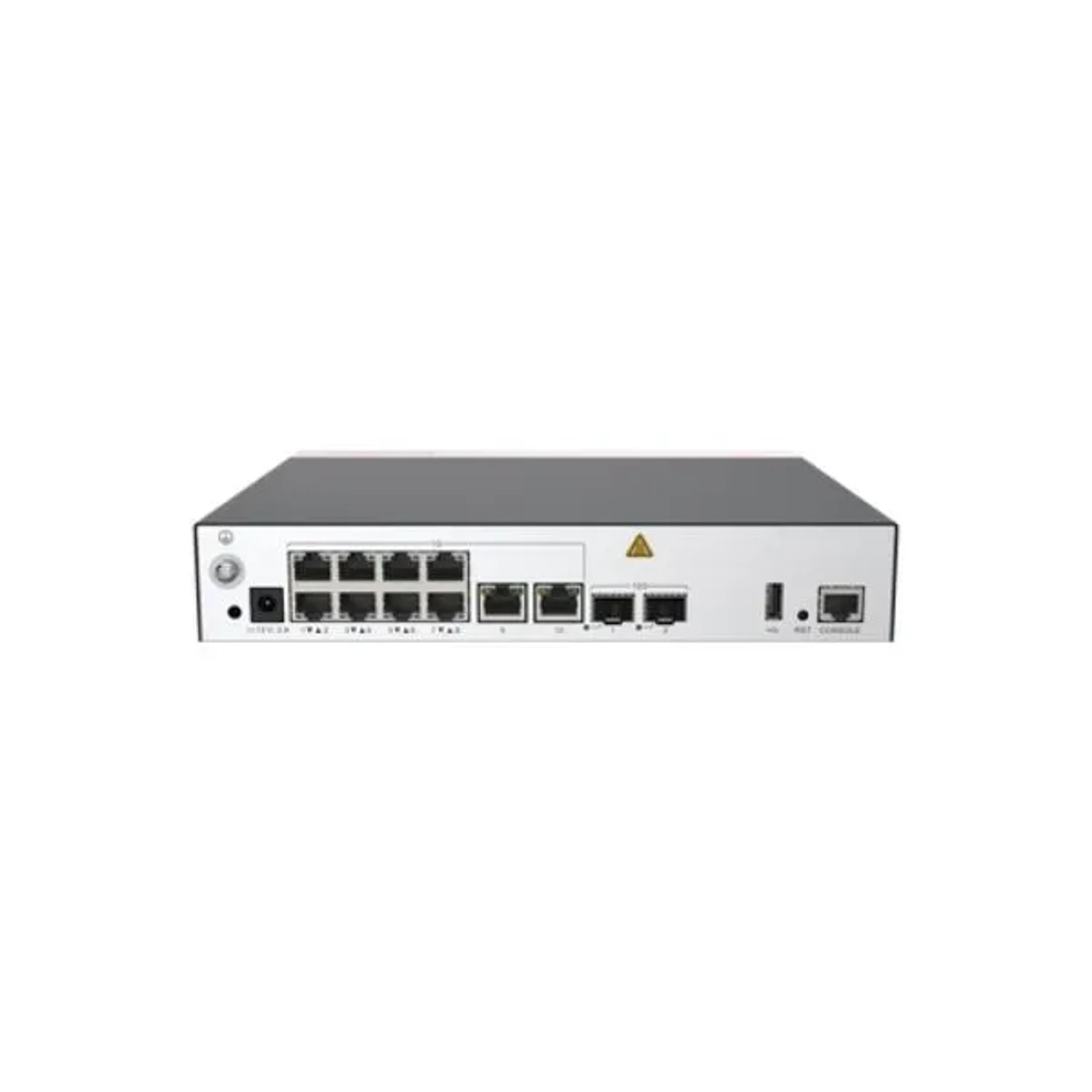
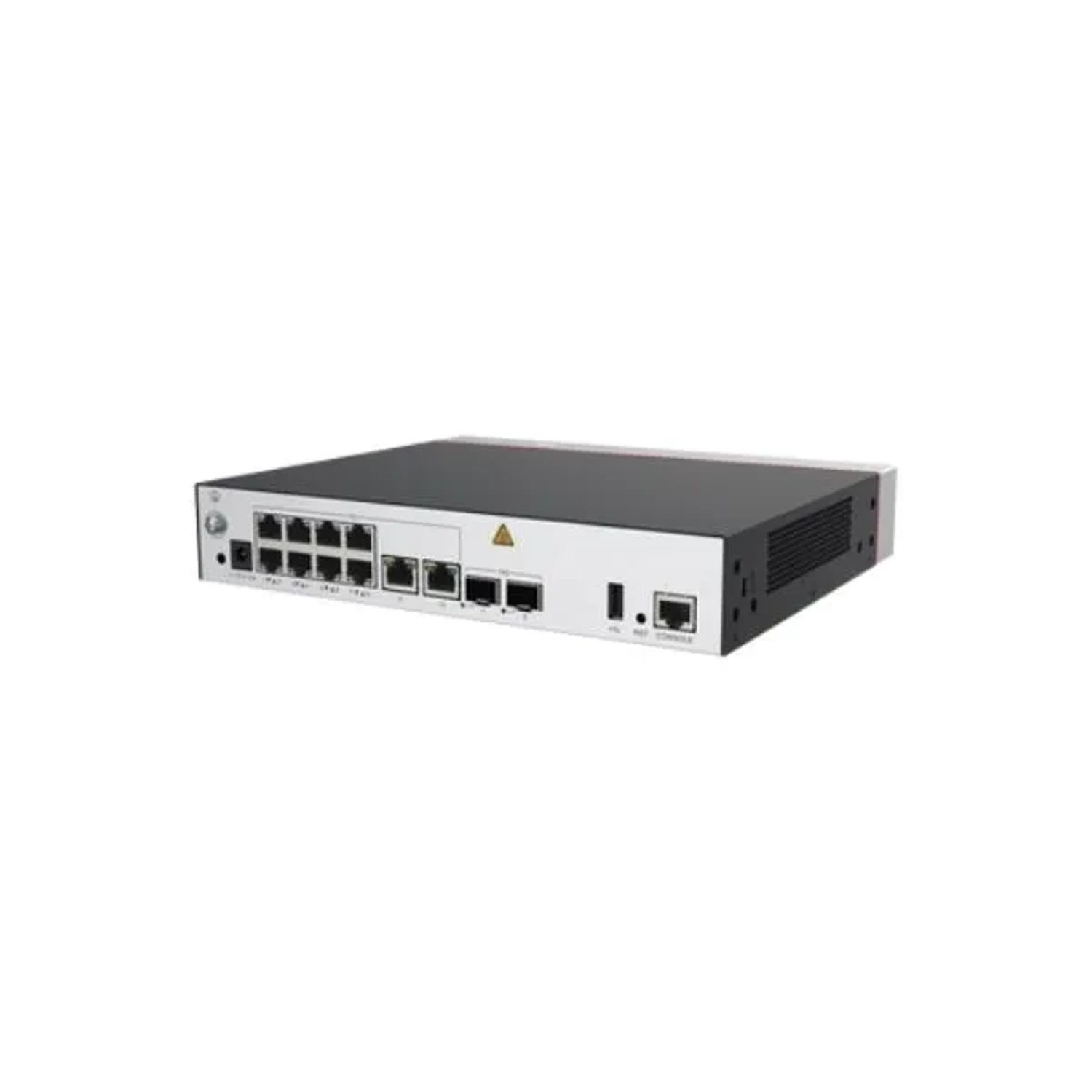
Appearance

Figure 1-49 Appearance of the AC650-256AP

Ports

Figure 1-50 Ports on the AC650-256AP

1

GE

2

DC 12V

3

10GE

4

USB

5

CONSOLE

-

-

Table 1-82 Ports on the AC650-256AP
PortConnector TypeDescriptionAvailable Components
GERJ4510 x 10/100/1000BASE-T Ethernet electrical ports

Network cable

10GESFP+2 x 10GE SFP+ Ethernet optical ports

Optical module

DC 12VDC connectorDC input connector

12 V DC power adapter

CONSOLERJ45Console port

Console cable

USBUSB 2.0 Type AUSB port connecting to a USB flash drive or other storage device to extend the storage space.

USB storage device

Indicators and Buttons

Figure 1-51 Indicators and buttons on the AC650-256AP

1

Service port indicators

2

RST button

3

PWR indicator

4

SYS indicator

5

USB indicator

6

CLOUD indicator

Table 1-83 Indicators on the AC650-256AP
SilkscreenNameColorStatusDescription
PWRPower module indicator-OffThe system is not powered on or there is an internal power supply failure.
GreenSteady onPower supply is normal.
SYSSystem status indicator-OffThe system is not running.
GreenSteady onThe system is being powered on or restarted.
GreenBlinking once every 0.25s (4 Hz)The system is starting.
GreenSlow blinking (0.5 Hz)The system is running properly.
RedSteady onThe system is faulty.
USBUSB indicator-OffNo USB device is connected.
GreenSteady onA USB device is connected and working properly.
CLOUDCLOUD indicator-OffThe device is not connected to a cloud management platform or the connection is interrupted.
GreenSteady onThe connection to a cloud management platform is normal.
GreenBlinking once every 0.25s (4 Hz)The device is connecting to a cloud management platform.
-GE electrical service port indicator-OffThe port is not connected or has been shut down.
GreenSteady onThe link is established.
YellowBlinkingThe port is sending or receiving data.
-10GE optical service port indicator-OffNo link is established on the port.
GreenSteady onThe link is established.
GreenBlinkingThe port is sending or receiving data.
Table 1-84 Buttons on the AC650-256AP
SilkscreenNameDescription
RSTReset button
  • Press the reset button for no more than 3 seconds to reset the device manually. Resetting the device will cause service interruption. Exercise caution when using this button.
  • Press and hold down the reset button for more than 5 seconds to restore the factory settings and restart the device.

Technical Specifications

Table 1-85 Technical specifications of the AC650-256AP

También le puede interesar